
Bookings, status and report delivery stay on the same job record.
Vertex Portal
The renewable survey portal behind every Vertex job
Smart Booking gets the job into the diary. Live QC checks the completed field record while the surveyor is still on site. Approved reports and photos are then released to the right installer users.
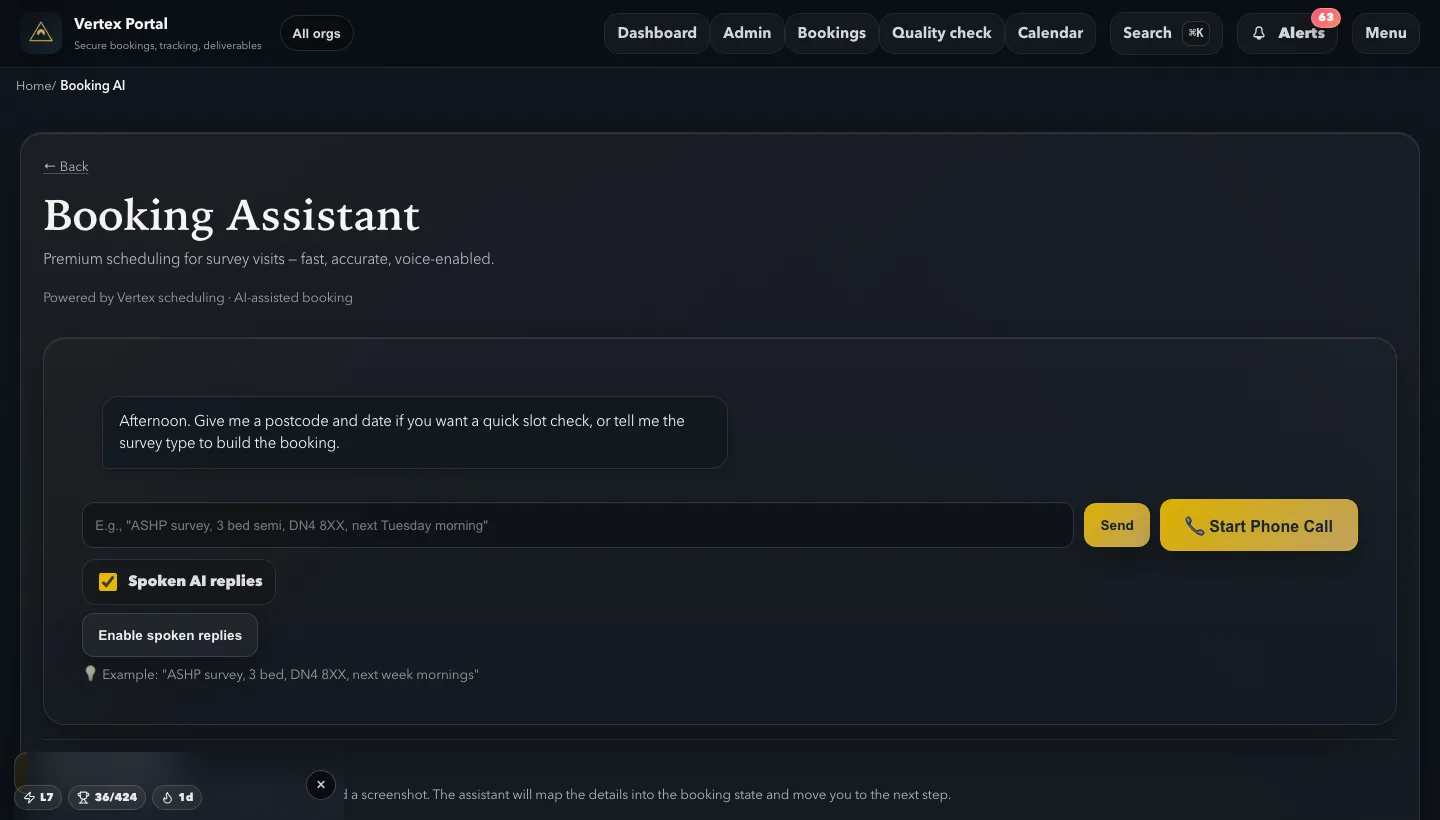
Installer teams can book by form, assistant or voice-enabled route.
Vertex checks the completed field record while the surveyor is still on site.
Completed PDFs and delivery updates are available through Vertex.
App Store live
Windows desktop
Web portal
Google Play live
Live on web, Windows, Android, iPhone, iPad and Mac. Team access is handled through info@vertex-surveys.co.uk or the contact page.
1 · Book
Route the job
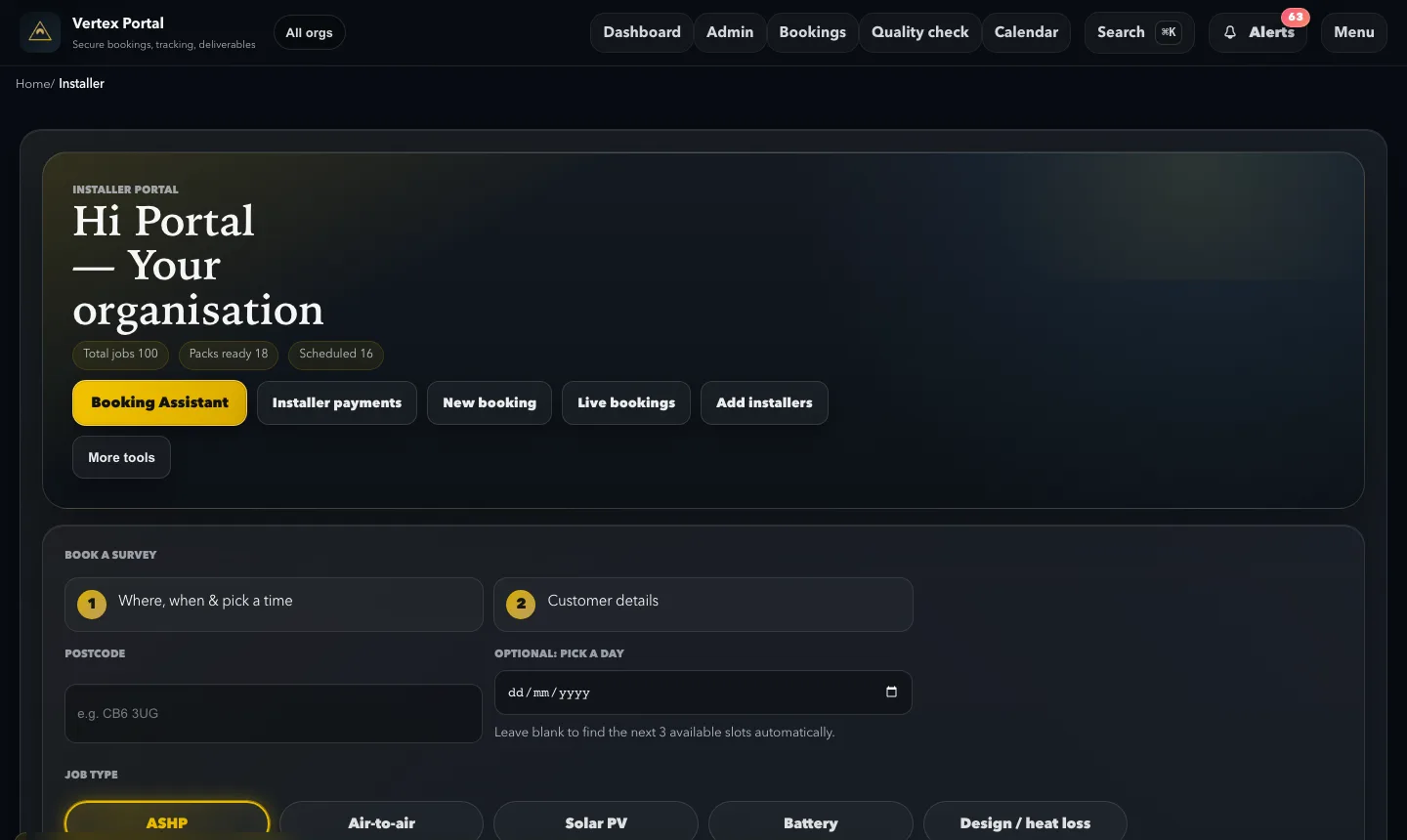
Book by form, text or voice. Smart Booking helps match the request to a workable slot.
2 · Survey
Capture one field record
The assigned survey and booking stay linked as the site work is completed.
3 · Check
Review before leaving
Vertex returns a specific fix list or confirms the surveyor is good to go.
4 · Release
Publish deliberately
The approved PDF and photo pack are released to authorised installer users.
The operating system
One job record from booking to report release
The value is not another login. It is keeping booking, field evidence, QC and final delivery tied to one record.
- One record from first request to published report.
- Live QC while the surveyor can still correct the job.
- Controlled access for booking, design and management teams.
Smart Booking
Put a complete job into the diary
- Start by form, typed request or voice-enabled assistant
- Suggested slots account for availability, capacity and travel rules
- Slot checks prevent stale suggestions being accepted twice
Live QC
Check the survey before the visit ends
- A completed field record enters the Vertex review flow
- The reviewer sends specific corrections or confirms the surveyor is good to go
- AI-assisted checks help surface possible misses; Vertex controls the release decision
Controlled handover
Release the approved pack, not a draft
- PDFs and photo packs remain internal until they are approved and published
- Authorised installer users download the same final version
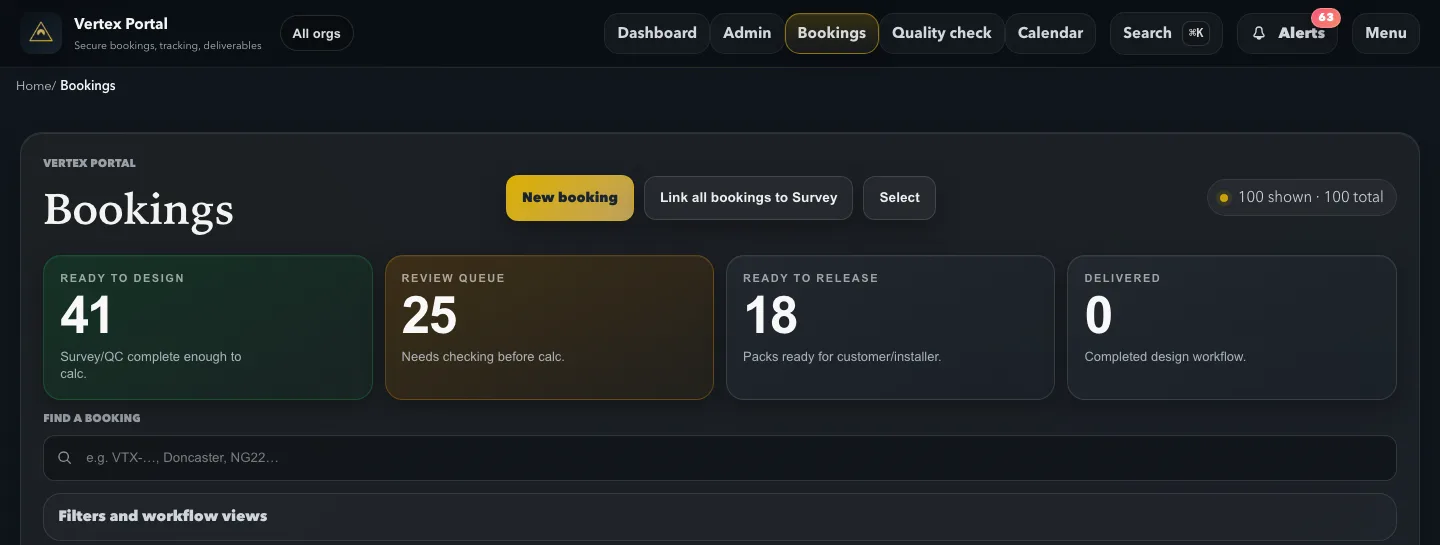
- Job status makes it clear what is in review, ready to release or delivered
Team control
Give each person the access they need
- Representatives can book work without being given report-pack access
- Master, admin and design users can access published deliverables
- Calendar subscriptions and signed webhooks connect the portal to existing workflows
From booking to delivery
What installer teams see in the live portal
Current Vertex Portal screens, cropped to avoid customer details.
Outcome
What gets easier once the portal is the default
Fewer chases and less confusion about what is final.
Speed
Less waiting, fewer chases
- Status visibility from booked to delivered
- Report downloads without waiting on email threads
- Smoother follow-through for design and installation teams
Consistency
Same place, same version
- Role-based access for master, admin, rep, and design users
- Clear ownership and fewer missed updates
- Clear records that keep the report format familiar across the team
Client confidence
Professional delivery every time
- Installer and customer versions of deliverables
- Branded, organised report structure
- Audit trail and timeline visibility
Before and after
Before Vertex vs after Vertex
The job stays tied together from booking to delivery, so people are not working from different versions.
Before
Status spread across too many places
- Status updates spread across calls, inboxes, and chat
- Design teams chase missing files and unclear evidence
- Install teams lose time checking what is final
After
One clear record from booking to delivery
- Office sees live job status from booking to delivery
- Different users access the same clear record
- Fewer back-and-forth messages between teams

Connected service
The portal is part of the survey operation, not a separate software product
Surveyors, Vertex reviewers and installer users work from the same job flow, with a clear handover at each stage.
Field to office
Completion starts the review
- The field record remains linked to its original booking
- Completion routes the job into the live QC flow
- Corrections can be made while the surveyor is still at the property
Human review
Vertex decides when the pack is ready
- AI-assisted checks can point the reviewer towards possible omissions
- The reviewer confirms what must be fixed or approves the record
- Draft deliverables stay internal until the release gate is passed
Installer workflow
Use the portal alone or connect it
- Use the web, desktop or mobile apps for daily work
- Subscribe to job calendars without re-entering appointments
- Signed webhooks can return booking and delivery events to existing systems
See how Vertex combines UK survey coverage, trained surveyors, quality checks, PDF reports and portal delivery. You can also read how the portal checks completed field records or follow the process through live programme survey delivery. For team access and rollout, contact info@vertex-surveys.co.uk.
Portal FAQs
What installer teams need to know
Day to day
What does the Vertex Portal do?
The Vertex Portal connects booking, survey progress, live quality control and final report delivery. Installer teams can follow one job record from the first request to the approved PDF and photo pack.
Devices
Which devices can installers use?
Installers can use Vertex Portal on web, Windows, Android, iPhone, iPad and Mac. The native mobile apps are available from Google Play and the App Store.
Quality
How does the portal support quality control?
When a field record is completed, it enters the Vertex live QC flow. A reviewer can return a specific fix list while the surveyor is still on site or confirm that the record is good to go. AI-assisted checks help surface possible omissions; Vertex controls the release decision.
Permissions
Can every installer user download reports?
No. Portal permissions match the job each person does. Installer representatives can book work without report-pack access, while authorised master, admin and design users can download published deliverables.